Why Your Face Shape Result Changes Between Photos
Getting two different face-shape results from two photos is frustrating. One upload looks oval. Another looks round or heart-shaped. It can feel like the detector is guessing.
Most of the time, the issue is not random guessing. A AI face shape detector reads visible outline cues, proportions, and structure from one photo at a time. If the photo changes, the visible cues can change too.
This guide explains why that happens, what kind of photo differences matter most, and how to get a more stable result before making style decisions. Disclaimer: The information and assessments provided are for educational purposes only and should not replace professional medical advice, diagnosis, or treatment.
What a Face Shape Detector Is Really Reading
Face Shape Labels Depend on Visible Proportions and Outline Cues
A detector is not reading an invisible “true label” hidden behind every photo. It is reading what the image makes visible: forehead width, cheekbone emphasis, jawline shape, face length, and the overall outer outline.
That is why camera setup matters more than many people expect. A 2016 [PMC-reviewed portrait-photography analysis] reported that faces photographed at a 45 cm subject-to-camera distance looked significantly different when shot with 50 mm, 85 mm, and 105 mm lenses. The paper noted that 85 mm to 105 mm created the more natural portrait rendering. In simple terms, distance and perspective can change how the same face looks before any styling advice even begins.
For a tool like this face shape detector, that means the upload is part of the result. The system still analyzes structure, but it can only analyze the structure the photo presents.
Small Photo Changes Can Hide or Exaggerate Jawline, Forehead, and Cheekbones
A tiny tilt can sharpen one side of the jaw. Loose hair can hide forehead width. Glasses can change where the eye notices the center of the face. Even a slightly raised chin can make the lower face look longer.
These are small visual shifts, but face-shape categories rely on small visual differences. That is why one photo may lean toward square while another leans toward oval, even when the person has not changed at all.
Three Reasons Your Result Changes Between Photos
Selfie Distance Can Distort Facial Proportions
Close selfies are one of the biggest reasons results change. When the camera is very near the face, perspective exaggerates some features and compresses others.
A 2023 [PubMed-indexed study] found that selfies taken from 8 to 12 inches can increase the apparent nose size by about 12% to 19% compared with a standard portrait view. Even though that study focused on nasal appearance, the same principle matters for face-shape reading. When the center of the face expands visually, the balance of the full outline can look different too.
Hair, Glasses, and Angle Can Block Outline Cues
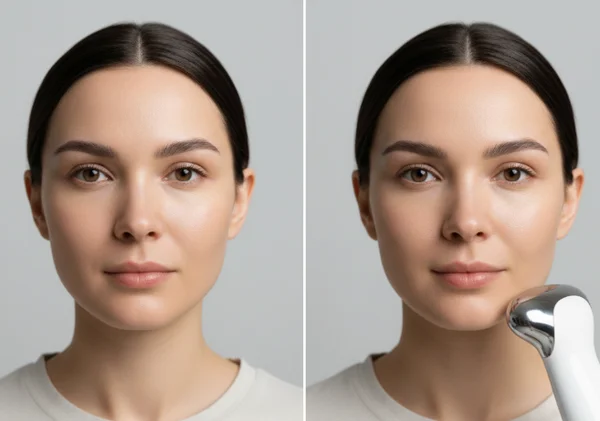
Face-shape tools work best when the outer contour is visible. Hair pushed forward, wide frames, large earrings, hats, or side angles can hide the very outline the system needs to read.
That does not mean styled photos are useless. It means they are less reliable for neutral structure analysis. If the forehead edge disappears under bangs or the jawline is hidden by hair, the result may drift toward the wrong category.
Expression and Tilt Can Change How the Lower Face Reads
A smile can widen the cheeks. A tight mouth can sharpen the jaw. Looking slightly down can shorten the face, while looking up can stretch it.
These changes are normal, but they matter when the goal is classification. A face-shape result is usually most stable when the expression is relaxed, the head is upright, and both sides of the face are equally visible.
How to Get a More Stable Face Shape Result
Use a Neutral, Front-Facing Photo With Visible Edges
The site's own guidance is simple for a reason. The detector sorts photos into six common categories: oval, round, square, diamond, heart, and oblong. To do that well, it needs a clear, front-facing, unobstructed image.
A better upload usually includes these basics:
- Even lighting across the whole face.
- A straight-on angle instead of a side angle.
- Hair pulled away from the forehead and jawline.
- A neutral expression.
- Enough distance to avoid extreme selfie distortion.
If possible, use a photo that looks more like a standard portrait. Avoid an extreme close front-camera selfie when you want a cleaner reading. That gives the tool a cleaner outline to work with.
Compare Two Clean Uploads Before Making Style Decisions
One smart habit is to run two neutral photos instead of trusting the first image. Keep both photos front-facing, with similar lighting and no major obstructions. If both uploads point to the same shape family, that is a stronger signal than one dramatic selfie.
This step matters because the detector is meant to support style choices, not replace judgment. A face shape analysis tool is most useful when it helps narrow the field before choosing a haircut, frames, contour placement, or accessories. It can point you toward a likely shape family. The final styling decision still works best when you compare the result with a mirror, a second clean photo, and your own preferences.
If a facial feature change seems sudden, painful, swollen, or medically concerning, see a healthcare provider instead of relying on a styling tool. Seek medical help if the change is severe or persistent. The detector is for structure and style reference, not medical evaluation.
Key Takeaways and Next Steps
When a face-shape result changes between photos, the cause is usually perspective, distance, occlusion, or expression rather than a broken tool. The detector reads what the image makes visible. Cleaner photos lead to cleaner signals.
The best next move is simple: use a neutral, front-facing photo, keep the outline visible, and compare two consistent uploads before making style decisions. A photo-based face shape guide works best as a practical style shortcut, not as a permanent identity label.